




Popular News

Nikkei 225 Falls as Chip Stocks Slide While...
- BY gtemel
- 26/10/2026

Wall Street Falls as Oil Prices Rise Ahead...
- BY gtemel
- 26/10/2026

How to Backtest Trading Strategies in TradingView
- BY gtemel
- 23/10/2026

UN Secretary-General Race: Major Powers Block Progress
- BY gtemel
- 18/10/2026
- Home
- Temel Backtest Lab – Free TradingView Backtesting Tool
Temel Backtest Lab
Combine Indicators. Test Strategies. Analyze Results.
Free TradingView Backtesting Tool | Version 1.9.2 – Free Edition
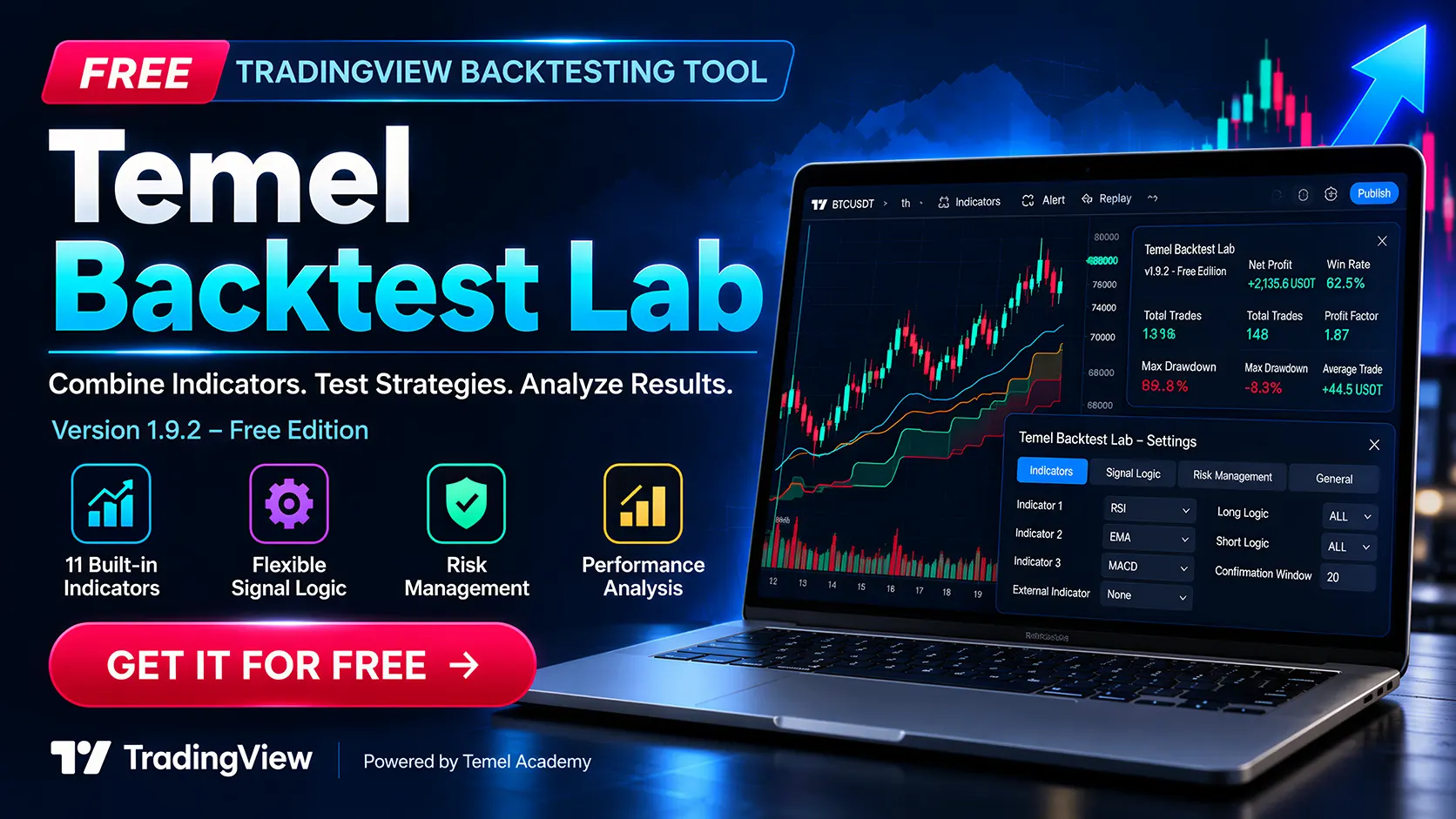
Trading strategies deserve more than guesswork. Temel Backtest Lab is a free backtesting tool that helps you combine technical indicators, create customizable trading strategies, and evaluate their historical performance directly in TradingView.
From simple momentum strategies to more advanced combinations of trend, volatility, and confirmation signals, Temel Backtest Lab gives you the flexibility to explore different approaches within a single testing environment.
Discover how your strategies behave across historical market conditions, compare different settings, and make more informed decisions about your trading research.
Free for Temel Academy newsletter subscribers.
Why Choose Temel Backtest Lab?
One Tool. Multiple Strategies.
As a free TradingView backtesting tool, Temel Backtest Lab brings multiple technical indicators, flexible signal conditions, and performance analysis together in one configurable environment.
Our free TradingView backtesting tool brings multiple technical indicators, flexible signal conditions, position management options, and performance analysis together in one configurable tool.
Whether you’re learning how indicators work together or investigating a more complex trading system, you can experiment with different settings and evaluate the results systematically.
What makes our free TradingView backtesting tool useful?
-
Combine multiple indicators without writing your own Pine Script strategy.
-
Configure independent Long and Short entry conditions.
-
Choose how many indicators must agree before a signal is accepted.
-
Test different position management and risk management settings.
-
Compare historical results across markets and timeframes.
-
Review strategy performance using an on-chart dashboard.
11 Built-in Technical Indicators
Explore Momentum, Trends, Volatility, and Market Strength
Our free TradingView backtesting tool includes 11 widely used technical indicators, giving you a flexible foundation for strategy development and testing.

| Indicator | Function |
|---|---|
|
Relative Strength Index (RSI) |
Explore momentum conditions, overbought and oversold levels, and potential changes in market strength. |
|
Exponential Moving Average (EMA) |
Analyze price trends using a moving average that places greater weight on recent prices. |
|
Simple Moving Average (SMA) |
Evaluate trend direction and price relationships using a traditional moving average. |
|
Moving Average Convergence Divergence (MACD) |
Investigate momentum changes, signal-line relationships, and trend-following conditions. |
|
Bollinger Bands |
Explore price behavior relative to volatility-based bands and changing market conditions. |
|
Stochastic Oscillator |
Analyze momentum using the relationship between closing prices and their recent trading range. |
|
Commodity Channel Index (CCI) |
Evaluate price deviations from a statistical average and investigate momentum conditions. |
|
Williams %R |
Explore momentum and overbought or oversold conditions based on recent price ranges. |
|
Money Flow Index (MFI) |
Combine price and volume information to investigate buying and selling pressure. |
|
Average Directional Index (ADX/DMI) |
Evaluate trend strength and directional movement. |
|
Supertrend |
Explore volatility-based trend signals and potential trend changes. |

Our free TradingView backtesting tool Features
Combine Up to Four Indicators
Build More Flexible Trading Strategies
Our free TradingView backtesting tool allows you to combine up to three built-in indicators with one compatible external TradingView indicator.
Configure each built-in indicator slot independently and experiment with combinations that reflect different aspects of market behavior.
For example, you might combine a momentum indicator with a trend filter and a volatility-based condition.
The ability to combine different indicators helps you explore whether additional confirmations improve or weaken historical strategy performance.
Flexible Long and Short Signal Conditions
Decide How Your Indicators Work Together
Not every trading strategy requires all indicators to agree at the same time.
Our free TradingView backtesting tool provides four signal combination methods:
- -ALL: All active indicator conditions must be satisfied.
- -ANY: At least one active indicator condition must be satisfied.
- -2 or More: At least two active indicator conditions must be satisfied.
- -3 or More: At least three active indicator conditions must be satisfied.
You can configure the signal logic separately for Long and Short positions, allowing you to test different entry requirements for bullish and bearish market conditions.
Confirmation Window
Give Your Indicators Time to Agree
Technical indicators often generate signals on different candles.
A momentum indicator may produce a crossover before a trend indicator confirms the same direction. Requiring both signals to occur on exactly the same bar can exclude otherwise interesting setups.
The Confirmation Window lets eligible event-based signals remain valid for a configurable period of 0 to 20 bars.
This gives you greater flexibility when investigating strategies that combine signals occurring at slightly different times.
Compare shorter and longer confirmation windows to understand how they affect signal frequency and historical performance.
Position Management
Control How Your Strategy Responds to Signals
A valid indicator signal does not always need to produce a new trade.
Our free TradingView backtesting tool includes configurable position management options that let you explore how a strategy behaves when signals appear during or after existing positions.
Investigate opposite-signal behavior, fresh versus recurring valid setups, and cooldown periods between trades.
These settings help you evaluate not only when a signal appears, but also how your trading rules translate that signal into a simulated position.
Risk Management and Exit Strategies
Test Different Ways to Manage Trades
Entry conditions are only one part of a trading strategy. The way a position is managed and closed can significantly affect historical performance.
Temel Backtest Lab provides configurable exit and risk management options, including:
- -Stop Loss
- -Take Profit
- -ATR-based exit settings
- -Trailing Stop functionality
Explore how different exit configurations influence trade duration, winning and losing trades, and drawdown.
Compare alternative settings to better understand the relationship between entry conditions, position management, and risk exposure.
Performance Dashboard
Turn Historical Trades Into Useful Insights
Our free TradingView backtesting tool includes an on-chart performance dashboard designed to make strategy evaluation more convenient.
Review important historical performance statistics, including:
- -Net Profit: The simulated net result of the tested strategy.
- -Win Rate: The percentage of closed trades that were profitable.
- -Total Trades: The number of completed trades in the test.
- -Wins and Losses: The distribution of winning and losing trades.
- -Profit Factor: The relationship between gross profits and gross losses.
- -Maximum Drawdown: The largest measured decline in the strategy’s equity.
- -Average Trade: The average simulated result per completed trade.
Use these statistics together rather than relying on a single number.
A high win rate does not automatically indicate a strong strategy, and positive historical returns do not eliminate the possibility of substantial future losses.
Explore Strategies Across Different Markets
Research. Compare. Refine.
Our free TradingView backtesting tool can help you investigate a wide variety of trading questions.
Does adding a moving average filter change the historical performance of an RSI strategy?
What happens when you require two or three indicators to confirm an entry?
How does a longer Confirmation Window affect the number of trades?
Do ATR-based exits produce different results from fixed Stop Loss and Take Profit settings?
How does the same strategy behave on different symbols and chart timeframes?
By changing one setting at a time and comparing the results, you can develop a more structured approach to strategy research.


Frequently Asked Questions (FAQ)
Is Temel Backtest Lab completely free?
Yes. Temel Backtest Lab v1.9.2 – Free Edition is available at no cost to Temel Academy newsletter subscribers. There is no purchase requirement for receiving the script and user manual.
Do I need programming knowledge?
No. Our free TradingView backtesting tool is designed to let you configure trading strategies using its available settings. You do not need to write your own Pine Script code to experiment with the supported indicators and strategy options.
Do I need a TradingView account?
Yes. Our free TradingView backtesting tool runs in TradingView using Pine Script.
If you’re new to TradingView, you can create an account here.
Can I combine several indicators?
Yes. You can use up to three built-in indicators and one compatible external indicator, with configurable signal combination methods.
Can I test Long and Short strategies separately?
Yes. Long and Short signal conditions and combination logic can be configured independently.Yes. Long and Short signal conditions and combination logic can be configured independently.
Can I use my own risk management settings?
Yes. Our free TradingView backtesting tool includes configurable Stop Loss, Take Profit, ATR-based exit settings, and Trailing Stop functionality.
Can I use Temel Backtest Lab on different markets?
The script is designed for historical strategy testing on TradingView charts. You can investigate its behavior on different supported symbols and timeframes, subject to TradingView’s available data and platform limitations.
Will I receive instructions for using the script?
Yes. Subscribers receive access to the Pine Script source code, installation instructions, and a comprehensive user manual.
Do historical backtest results guarantee future profits?
No. Backtesting uses historical data and simulated execution assumptions. Results may differ significantly from real-world trading, and profitable historical performance does not guarantee future profitability.
Start Exploring Trading Strategies Today
Start Exploring Combine Indicators. Test Strategies. Analyze Results.Trading Strategies Today
Our free TradingView backtesting tool brings indicator combinations, strategy configuration, risk management, and performance analysis together in one free TradingView tool.
Explore new ideas, challenge your assumptions, and evaluate historical results before considering a strategy for live trading.
Subscribe above to receive your free copy.
Risk Disclaimer
Temel Backtest Lab is provided for educational and research purposes only. Nothing on this page or within the tool constitutes investment advice, financial advice, or a recommendation to buy or sell any financial instrument.
Backtesting results are hypothetical and depend on historical market data, strategy settings, and simulated execution assumptions. Actual trading results may differ because of commissions, spreads, slippage, liquidity, execution conditions, market changes, and other factors.
Past performance is not a reliable indicator of future results. Trading and investing involve financial risk, including the potential loss of capital. Users are responsible for their own research and trading decisions.