




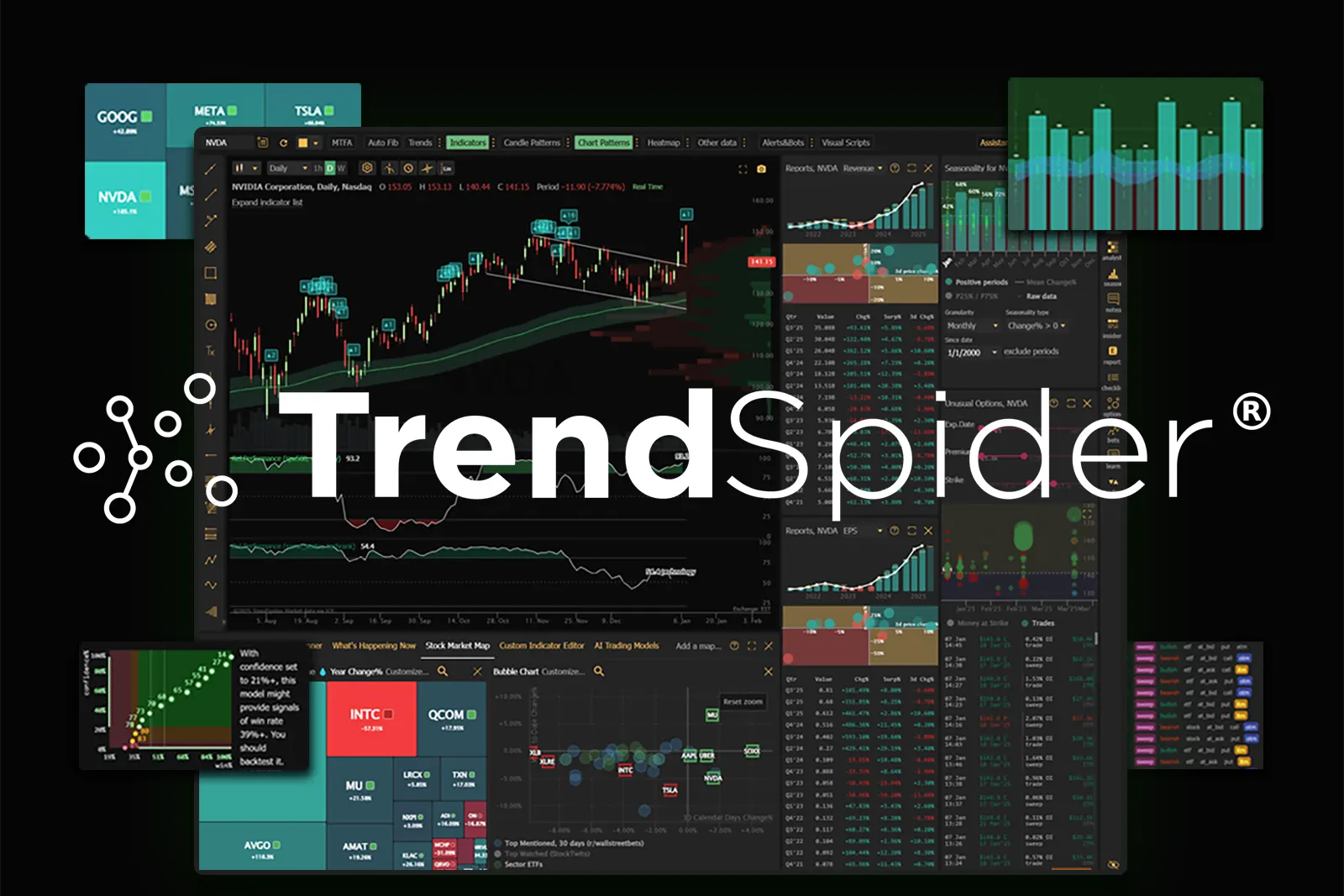


TrendSpider brings chart analysis, market scanning, historical strategy testing and alerts into one platform, with Sidekick AI providing assistance throughout the research process.
Researching a trading idea often means moving between charts, stock screeners, company reports and strategy-testing tools. Keeping that work connected can be as challenging as finding the initial setup. For traders interested in developing a more structured routine, TrendSpider offers a way to move from an idea to defined conditions, test those conditions and monitor them in the market.
Affiliate disclosure: Temel Academy is a TrendSpider affiliate and may earn a commission if you purchase through links in this article.
What Is TrendSpider?
TrendSpider is a subscription platform for market research, technical analysis and trading strategy development. Its tools cover stocks, ETFs, futures, options, indexes, currencies and cryptocurrencies, although data availability and requirements should be checked for the markets you intend to follow.
The platform connects four main activities: finding potential opportunities, researching them, developing strategies and setting up monitoring or automation. Sidekick AI can help users perform tasks across these areas. Explore the official platform overview.
TrendSpider Chart Analysis and Automation Tools
TrendSpider’s charting features include automated trendline detection, chart pattern recognition and automated Fibonacci retracements. These tools can help users identify structures to investigate without drawing every element manually.
Multi-timeframe analysis lets traders bring supported studies from different timeframes onto one chart. For example, someone examining an entry on a shorter timeframe can also consider a broader trend.
The platform also offers anchored indicators, including Anchored VWAP and Anchored Volume-by-Price, alongside its Raindrop charts, which provide a different view of price and volume activity.
These features offer additional ways to examine a chart. Their usefulness still depends on the settings, market conditions and interpretation applied by the trader. The TrendSpider Platform Features guide provides links to individual tools and documentation.
Test Trading Rules Without Writing Code
Backtesting is particularly relevant for traders who want to turn an indicator idea into a repeatable set of rules.
TrendSpider’s visual strategy editor allows users to define entry, exit and risk conditions without programming. Users can build their own strategy, modify a template or work with Sidekick to create conditions they can inspect and adjust.
Group Strategy Tester extends this process by comparing strategies across multiple symbols, timeframes and historical periods. Results can be examined through individual trades, drawdowns and benchmark comparisons. Read about TrendSpider’s strategy development tools.
For example, a trader might investigate whether a moving-average condition behaves differently across several stocks. The purpose of that comparison is to understand the rule’s behavior, including where it fails.
Historical results do not guarantee future performance. Testing many variations can also produce rules that fit past data too closely. Trading costs, different market periods and results outside the development sample deserve careful attention.
If you are new to this process, start with our guide to backtesting trading strategies in TradingView before exploring a more extensive testing workflow.
Find Setups with Custom Market Scanners
A scanner helps narrow a large market down to symbols that meet specified conditions.
TrendSpider supports scans combining technical, fundamental and available event-based criteria. Users can work in a visual editor or ask Sidekick to help create and refine their search. Multiple timeframes and custom indicators can also be incorporated into supported workflows.
This makes it possible to research questions such as which symbols meet a trend condition while showing a particular momentum reading.
A scan result is a candidate for further analysis. News, liquidity, volatility and the wider market context still matter before making a trading decision. Explore TrendSpider’s market scanning tools.
Sidekick AI: Research and Platform Assistance
Sidekick is TrendSpider’s integrated AI assistant. Its role goes beyond answering general questions: it can help investigate companies and charts, build scanners, develop strategy conditions and create alerts.
An important feature of this workflow is that the resulting scanner, strategy or alert can be inspected within the platform. Users can review the conditions, make changes and continue using the tool after the conversation ends. See the official Sidekick AI overview.
This may be useful for translating an idea into an initial research setup or reducing repetitive configuration work. However, AI-generated explanations and settings need checking. Users should verify the underlying information and understand any rules before relying on them.
Alerts and Optional Trading Automation
TrendSpider offers dynamic alerts tied to supported chart elements and multi-factor alerts that combine several conditions. Cloud-based monitoring allows alerts to continue running when the browser is closed.
For users who want automation, strategy bots and webhooks can connect defined conditions to supported external systems. Brokerage and exchange connections are available through supported integrations, including SignalStack. Compatibility and any additional requirements should be checked before use. Review the alerts and execution tools.
A sensible starting point is to use notifications and review each setup manually. Automating execution requires a clear understanding of the rules and how orders will be handled.
Who Might Find TrendSpider Useful?
Based on its documented features, TrendSpider is worth evaluating if you:
- Regularly scan markets using repeatable conditions.
- Want to build and compare strategies without writing code.
- Use several timeframes in your analysis.
- Need alerts that monitor combinations of conditions.
- Want AI assistance with research and platform configuration.
Someone who only needs occasional chart viewing may have less use for its broader toolset. Learning the platform and incorporating it into a routine also takes time.
Check Plans, Data and Total Cost
Before subscribing, identify the tools and markets you actually need. Review plan limits, market-data requirements, Sidekick allowances and any additional services required for your intended workflow.
Promotional prices may differ from renewal prices. Check the billing period and ongoing cost rather than judging a subscription only by its introductory offer. Review current plans and pricing.
Explore TrendSpider for Your Trading Workflow
TrendSpider offers a connected environment for researching markets, defining trading rules, testing ideas and monitoring conditions. Its potential value lies in how well those capabilities fit the work you already do.
Begin with one practical task: build a scanner, test a clearly defined strategy or configure an alert. That provides a more useful basis for evaluation than trying every feature at once.
Explore TrendSpider through Temel Academy’s affiliate link.
Editorial note: This introduction is based on TrendSpider’s published documentation and product information. It is not a report of independent hands-on performance testing.
Risk disclosure: Trading and investing involve the risk of loss. Backtesting, automated analysis and AI tools do not guarantee profitable results. Do your own research and assess your risk before making financial decisions.